What is org chart software?
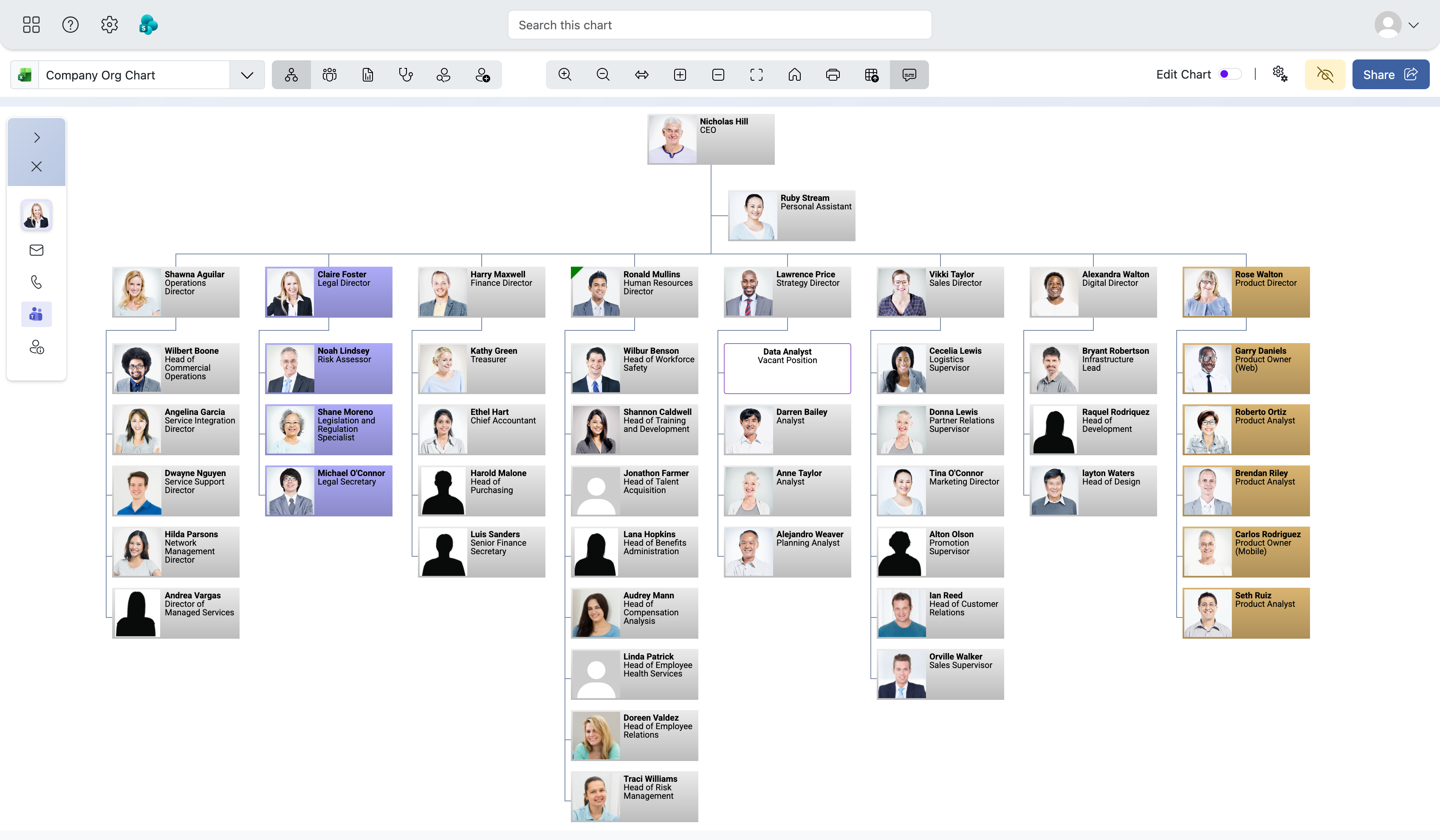
Organization chart software displays the structure of an organization and the reporting relationships between its people, teams and departments.
Start your free 30-day trial
Explore every TeamOrgChart feature with no commitment and no credit card. Sign in with your Microsoft work or school account to get started.
 Sign in with Microsoft
Types of org chart software
There are two broad categories of organization chart software:
- Diagramming tools, such as Microsoft Visio or PowerPoint, which allow an organization chart to be drawn manually.
- Data-driven organization chart software, which generates and updates the chart using employee and position information from Microsoft 365, HR systems, spreadsheets or other data sources.
Diagramming tools can work well for small, static charts. As an organization grows, however, manually moving boxes, reconnecting reporting lines and updating employee details can quickly become a time-consuming task. A dynamic org chart from Entra ID can instead rebuild the hierarchy, layout and presentation from the source data.
TeamOrgChart and other org chart applications are designed for organizations that need a chart based on real business data, rather than a diagram that must be recreated whenever the organization changes.
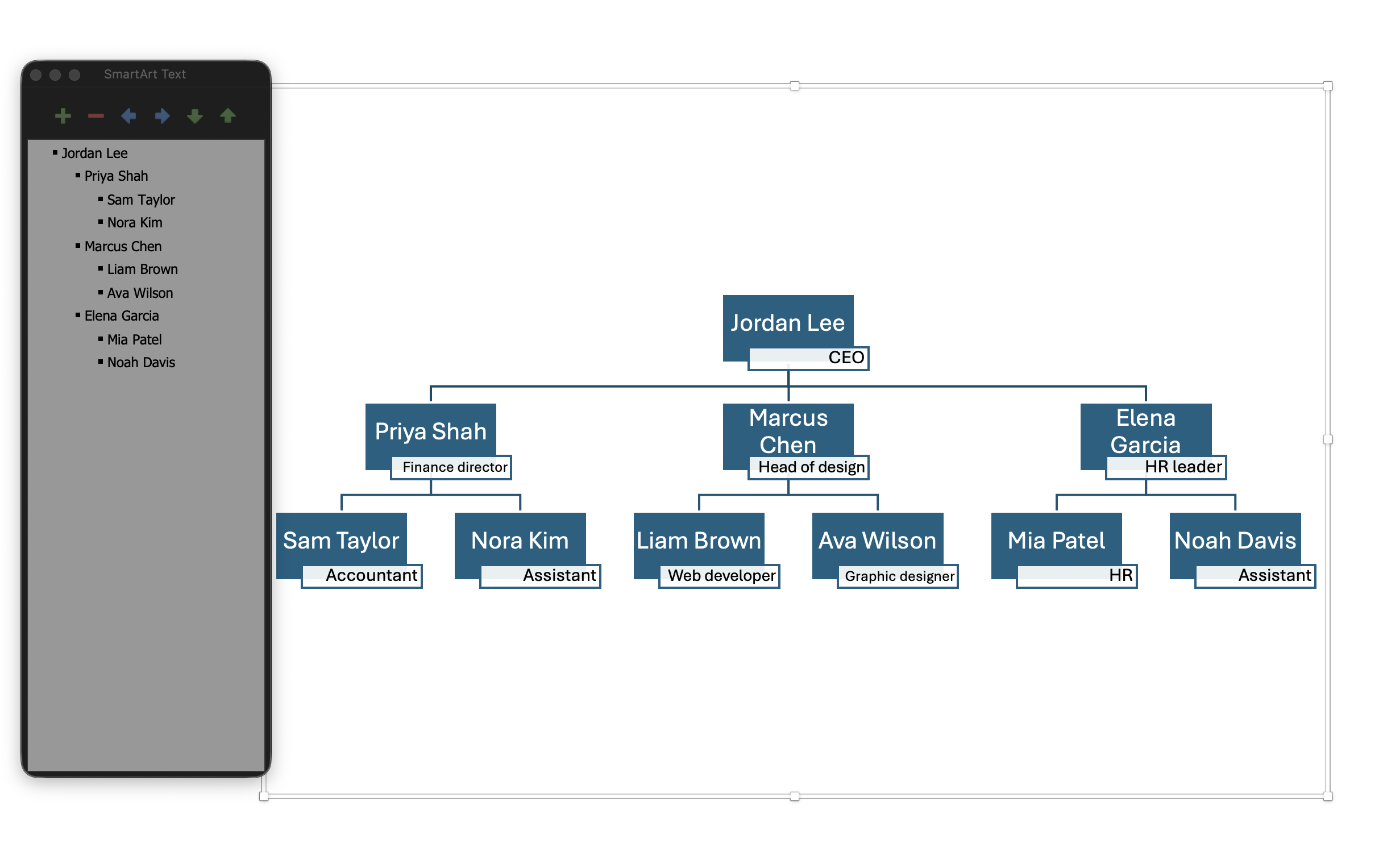
Manually maintained org charts
A manually maintained chart can be out of date before it has even been distributed.
Organizations are constantly changing. Employees join and leave, managers change, departments are reorganized and new positions are created.
Keeping your chart accurate may require someone to repeatedly update employee boxes, move positions, redraw reporting lines and issue a new version of the document.
Static charts can also be difficult to distribute and use. They may be stored as PowerPoint, Visio or PDF files, uploaded to an intranet or circulated by email, where employees may struggle to find the latest version.
A data-driven organization chart reduces this maintenance burden by generating the chart from information that the organization already manages elsewhere.
Dedicated org chart software
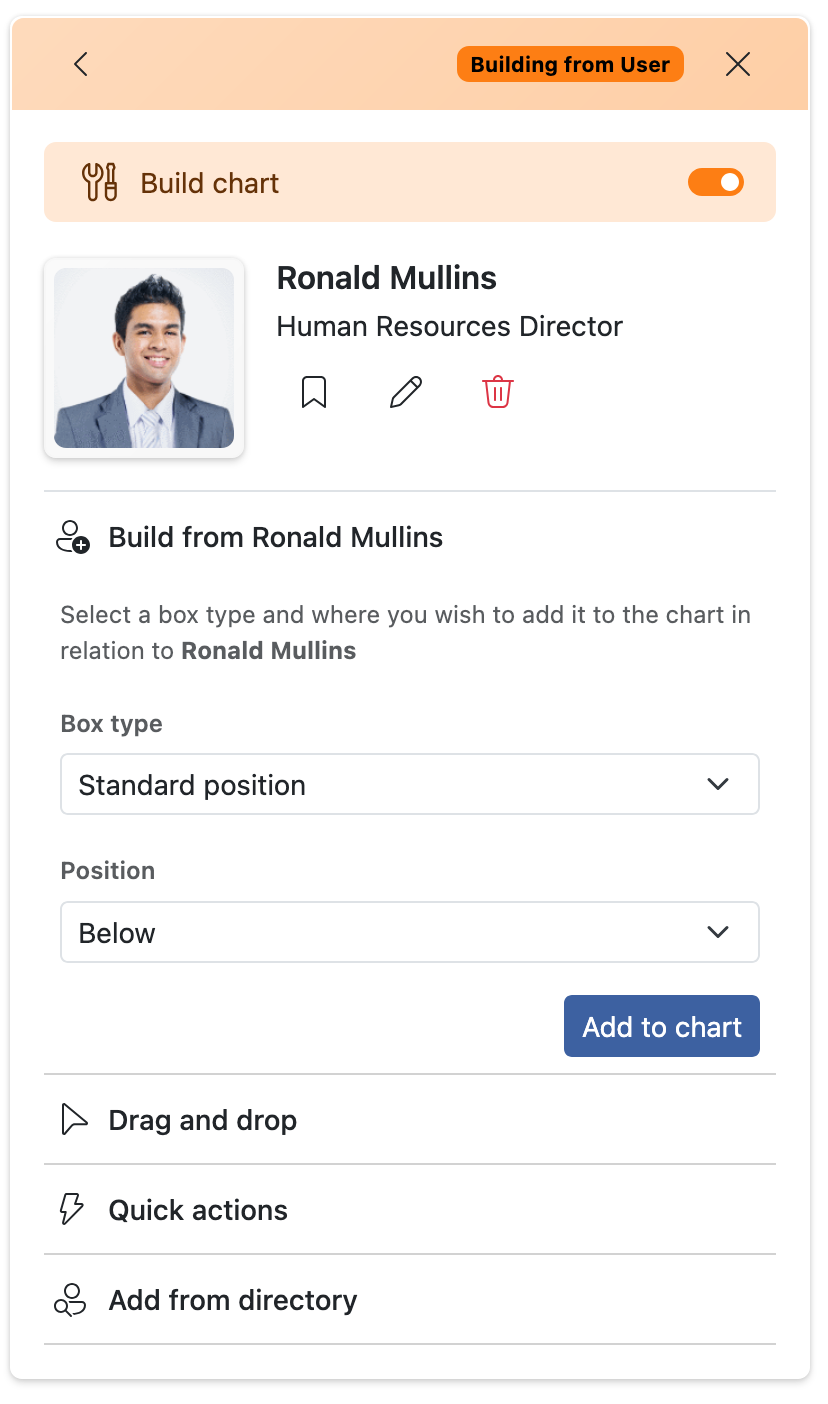
Alongside automatically reflecting changes in your data source, org chart software such as TeamOrgChart includes an intuitive chart builder.
You can search your directory to add people, drag and drop chart boxes, and build directly from a selected person.
Comparing TeamOrgChart with diagramming tools
| Feature | Manual diagramming tool | TeamOrgChart |
|---|---|---|
| Create employee boxes and reporting lines | Manual | Generated from data |
| Update employee changes | Manual | Data-driven |
| Search for employees | Usually unavailable | Included |
| Navigate interactively | Limited | Included |
| Microsoft 365 integration | Limited | Core capability |
| Create multiple chart views | Requires separate diagrams | Configurable |
| Employee profile information | Manually maintained | Read from source data |
| Support large organizations | Difficult to maintain | Designed to scale |
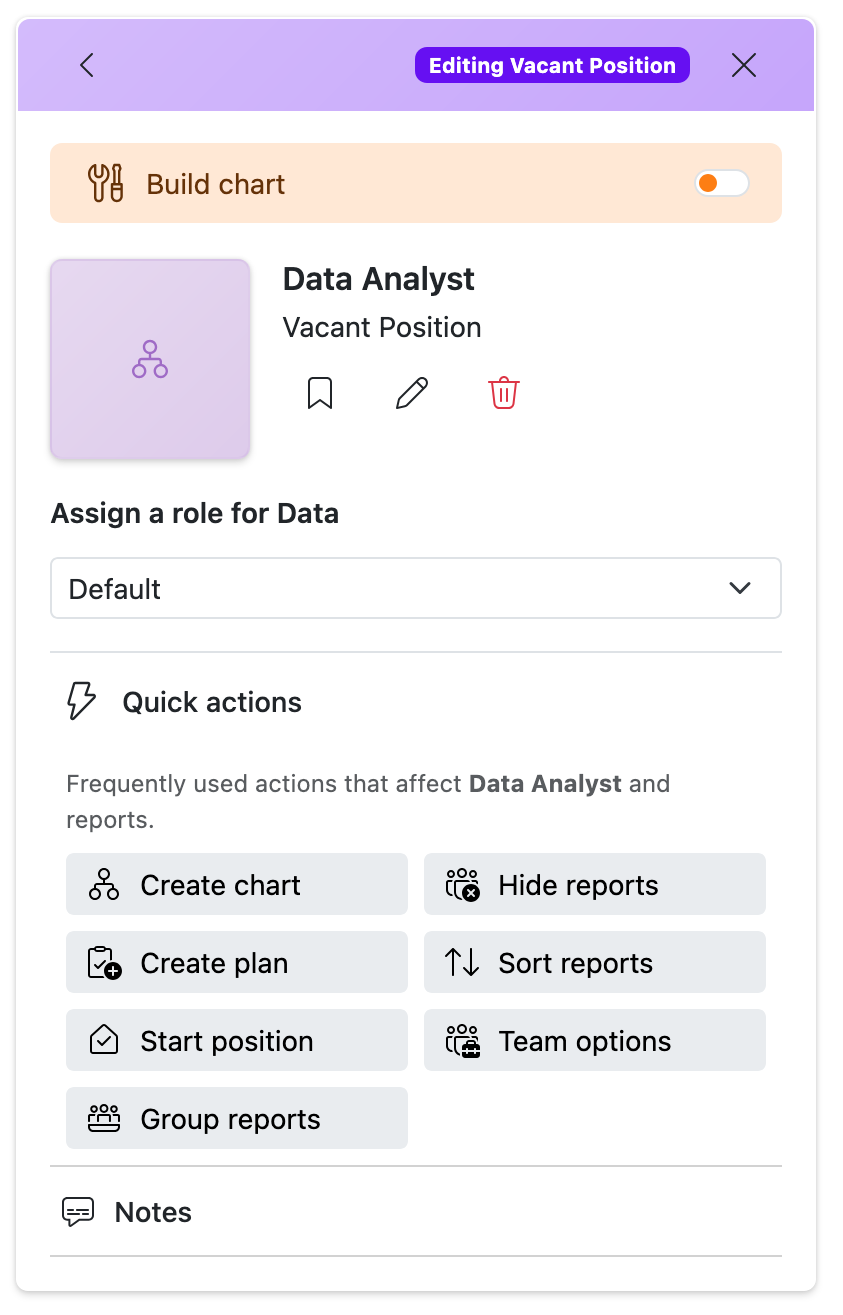
| Vacant and planned positions | Manually drawn | Supported |
| Teams and SharePoint access | File or embedded image | Interactive experience |
Search and explore your organization
Static diagrams become difficult to use as organizations grow.
Trying to fit every employee, team and reporting line into one document often makes the chart hard to read and harder to keep useful.
Dedicated org chart software turns the chart into an interactive resource, helping employees search for people and roles, find managers and reports, move through management levels, and focus on specific departments, locations, or reporting branches.
This makes the organization chart useful as an everyday company resource rather than a document that is only consulted during onboarding, restructuring or management meetings.
Support organizational change
Manually created org charts usually only show the organization as it exists at a single point in time.
Dedicated org chart software, such as TeamOrgChart, can go further by including vacant, temporary and planned positions, so teams can understand both the current structure and the roles still to be filled.
It can also make it easier and quicker to create alternative chart views for workforce planning, onboarding, restructuring or comparing possible future structures.